
Ctxo Visualizer
A self-contained single-page web app that lets you explore the Ctxo index visually — the same graph the MCP tools query, but rendered for humans.
How to get here
Run ctxo visualize in any indexed project. The CLI generates a static HTML file and opens it in your browser.
What you see
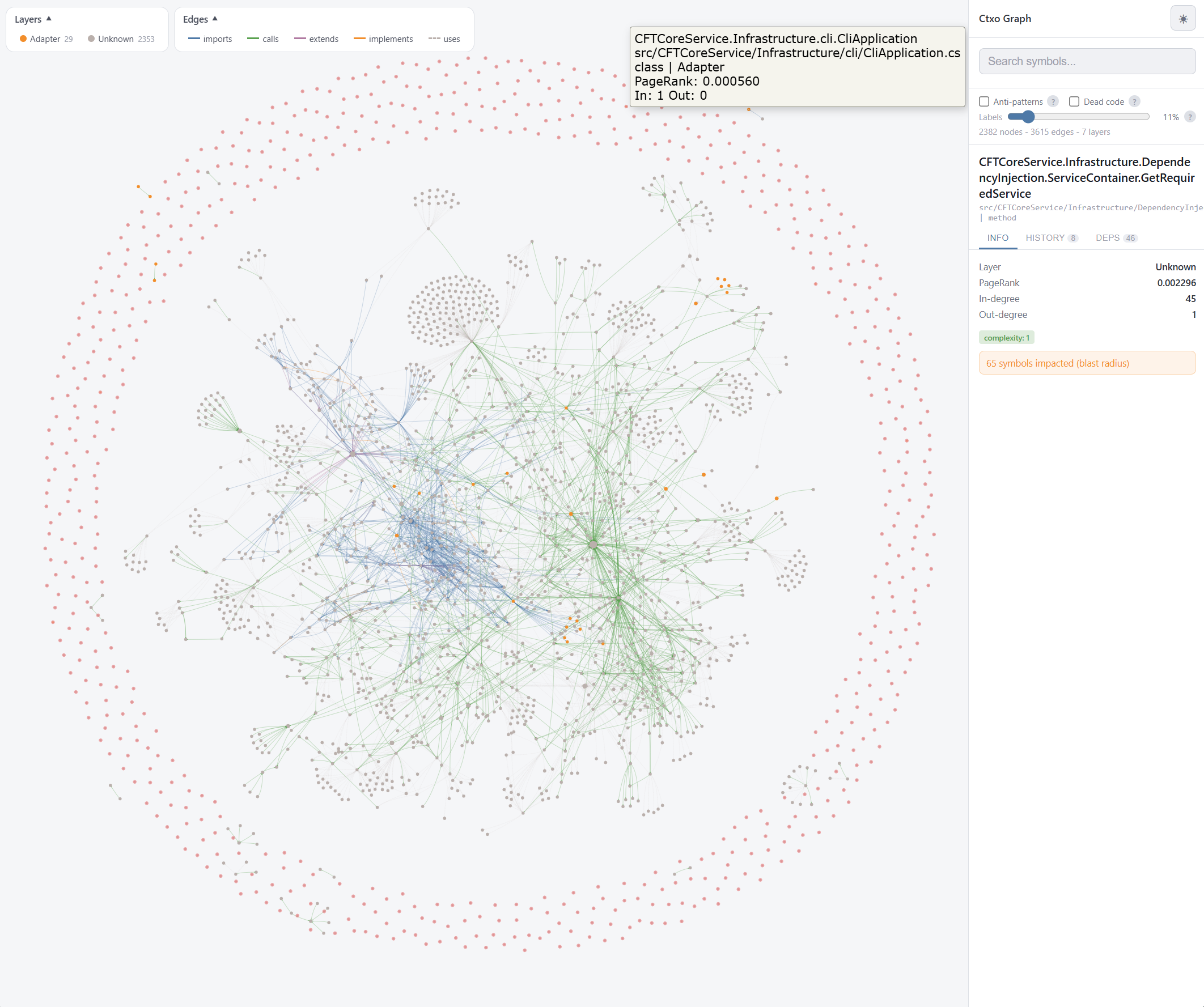
The graph layout is force-directed: symbols cluster by connectivity, edges show imports / calls / extends / implements / uses. Node size scales with PageRank (centrality), colour encodes dead-code status.
Dashboard
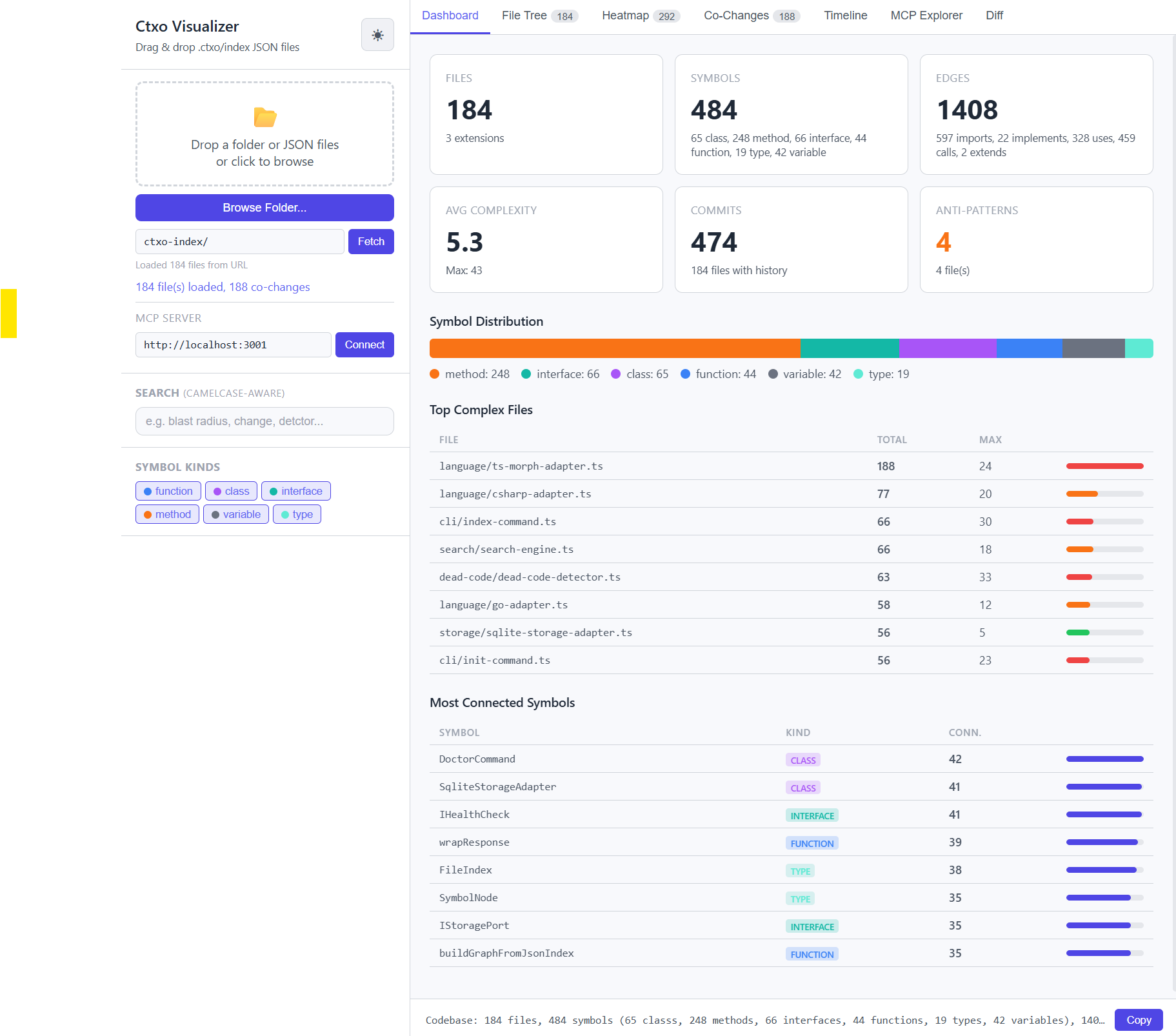
The left panel summarises your codebase at a glance:
- Symbol count broken down by kind (function / class / interface / ...)
- Dead code percentage and scaffolding markers (TODO / FIXME / HACK)
- Change intelligence bands — which files carry the most complexity × churn
- Anti-pattern counts — reverted code and hot-revert hotspots
Search
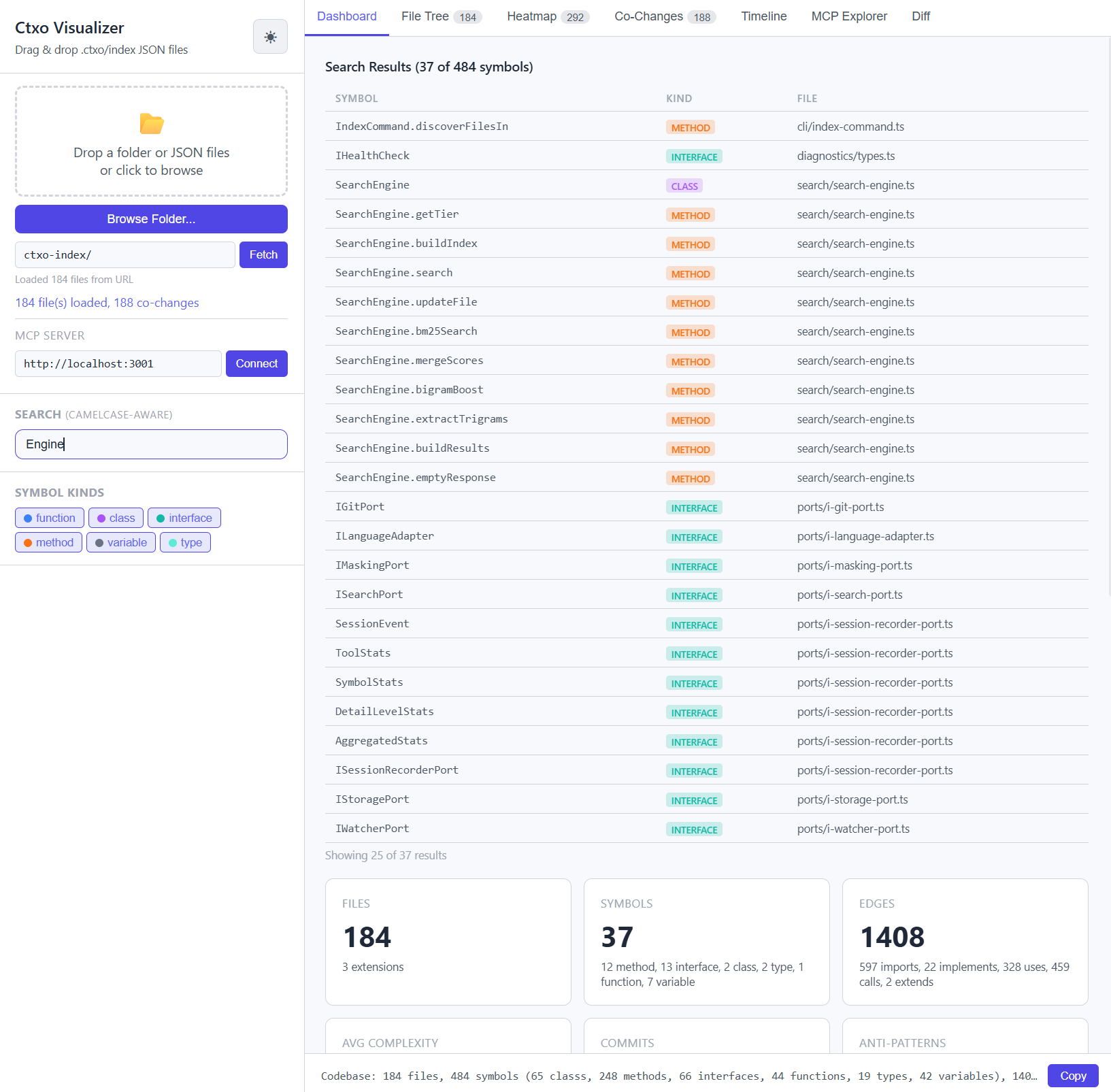
The search bar runs the same two-phase ranker as get_ranked_context:
- BM25 lexical pass (camelCase-aware, trigram fallback for typos)
- PageRank re-rank within the matching candidate set
Query-free browsing (blank box) is also supported — the list falls back to global PageRank order.
Detail panel
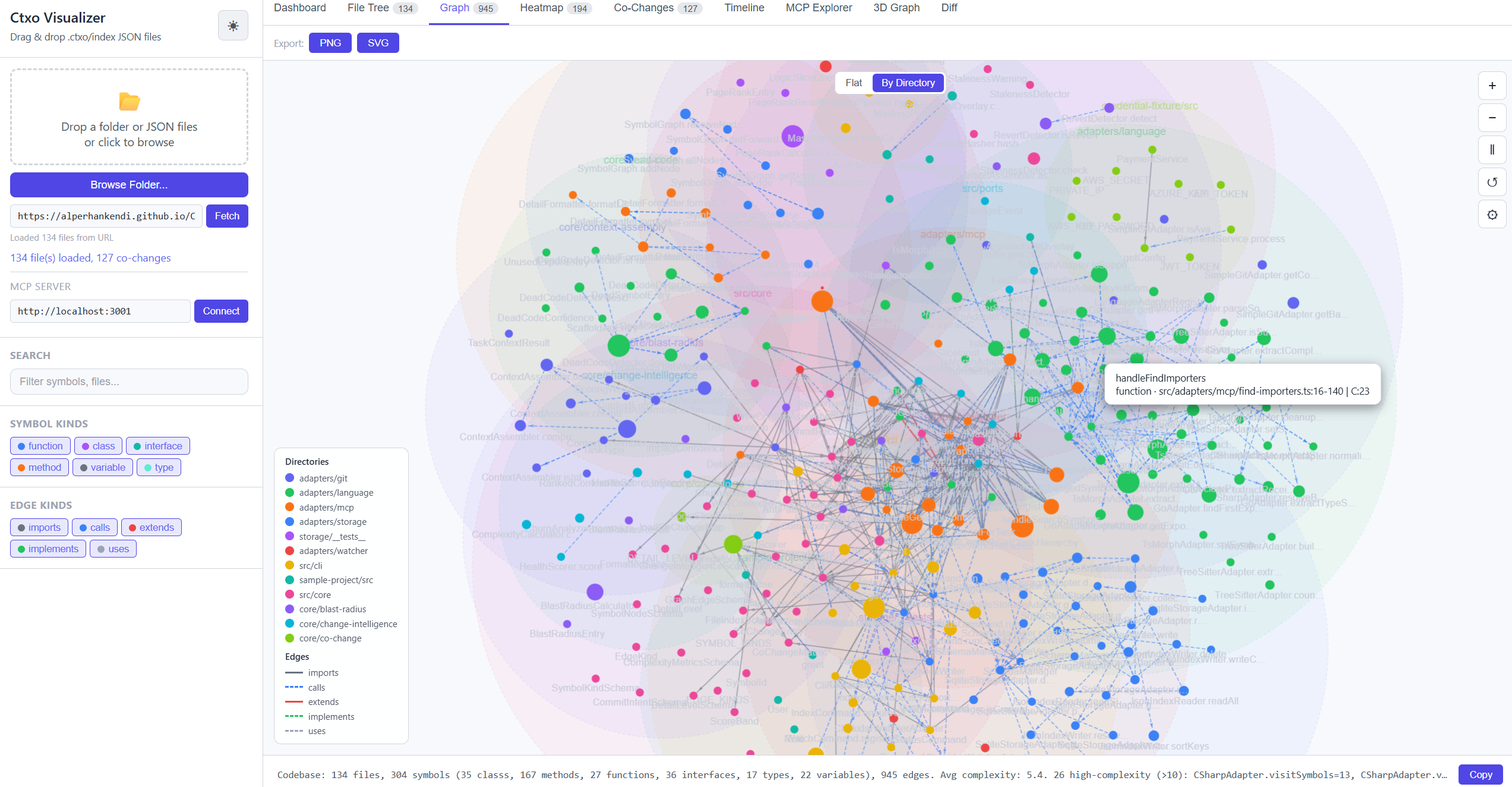
Click any node to see:
- Its Logic-Slice (symbol + transitive dependencies, what the MCP agent would receive)
- Blast radius tiers (confirmed / likely / potential) with impact score
- Git intent — recent commits touching the symbol + anti-pattern warnings
- Incoming / outgoing edges with their kinds
Features
| Feature | What it does | MCP equivalent |
|---|---|---|
| Force-directed graph | Visual cluster discovery | get_architectural_overlay |
| Node sizing | PageRank centrality | get_symbol_importance |
| Dead-code highlighting | Flags unreachable + unused-export symbols | find_dead_code |
| Click = detail panel | Logic-Slice + blast + history | get_logic_slice + get_blast_radius + get_why_context |
| Top-N filter | Zoom into PageRank top symbols | --max-nodes flag on ctxo visualize |
| Full-text search | Find symbols without knowing the exact name | get_ranked_context |
Related
ctxo visualizeCLI command — flags, output location, browser behaviour- Dependency graph concept — the underlying data model
- PageRank importance — how nodes are sized
- Dead code detection — how dead-code tagging works